How Do I Know if My Power Supply Is Failing?
You need to watch for clear signs when your power supply starts failing. A failing power supply causes sudden problems in your computer system. These signs appear gradually and become worse over time.
Early detection helps you replace the unit before bigger damage occurs. Knowing these signs protects your computer from expensive repairs.
Sudden Shutdowns and Restarts
The computer turns off without any warning during normal use. It restarts by itself even when you did not press any button. These random shutdowns happen more often under heavy workload.
Unstable power from the unit causes these sudden interruptions. This problem points to a failing power supply in most cases.
Strange Noises from the Unit
You hear unusual buzzing or grinding sounds from the back fan. The fan spins faster or makes clicking noises during operation. These sounds mean the internal components or bearings have problems.
A failing power supply often produces louder noise than normal. Replace the unit when these noises become constant or worse.
Failure to Start the Computer
The computer does not turn on even when you press the power button. Lights on the motherboard may flicker or stay completely off. The system tries to start but shuts down immediately after.
This symptom shows the power supply cannot deliver enough power. Test with a known good unit to confirm the exact cause.
Overheating and Burning Smells
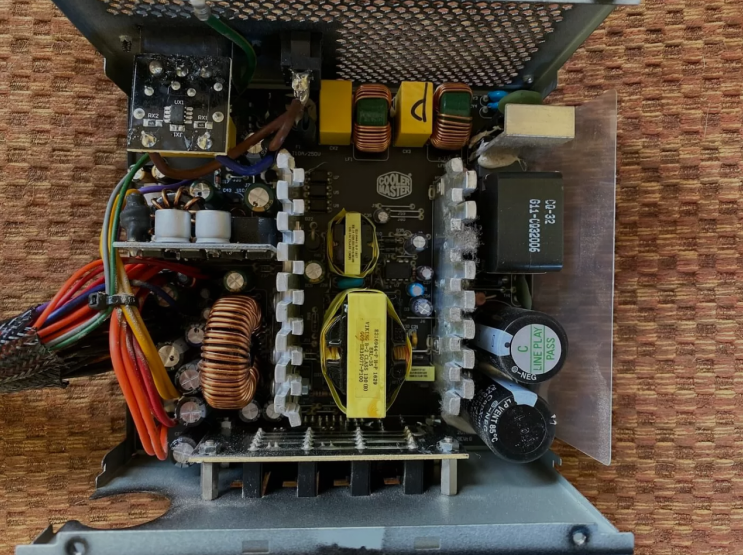
The power supply unit feels very hot to the touch after use. You notice a burning smell coming from the computer case. Overheating happens when internal parts work beyond their limits.
Dust buildup makes the cooling fan less effective over time. Stop using the computer until you replace the failing unit.
Flickering Lights and Instability
Screen lights flicker or the whole display goes blank suddenly. USB devices lose power and reconnect without any reason. The system becomes unstable and freezes during simple tasks.
These issues show the power supply cannot maintain steady voltage. Voltage drops damage sensitive components inside the computer.
Error Messages and Warning Signs
The computer shows power related error messages on the screen. BIOS or operating system reports problems with power delivery. Hardware monitoring tools show unusual voltage readings often.
These messages appear more frequently as the unit fails. Pay attention to any warnings about power supply problems.
Real Examples of Power Supply Units
Different computers need specific power supplies that match their exact requirements. Common replacement options by system include:
- Certain HP Pavilion models work with a 300W ATX replacement unit
- Dell OptiPlex desktops often require the 240W unit for Dell OptiPlex 390 790 990
- Higher performance Dell G5 systems may need a 500W PSU for Dell G5 models
You can find matching units for many other computer brands and models easily.
How to Test Your Power Supply
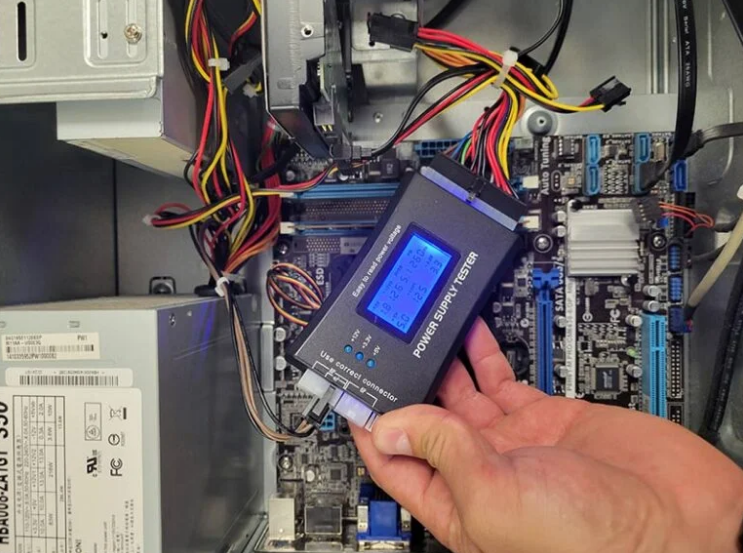
Use a power supply tester tool for quick and safe checks. Swap with a known good unit to confirm the exact problem. Monitor voltage readings with software tools during normal use.
Listen carefully for unusual noises from the power supply area. Professional testing gives the most accurate diagnosis of failure.
What to Do When Failure Happens
Shut down the computer safely at the first sign of trouble. Disconnect power and avoid using the system until replacement. Buy a new power supply with correct wattage and form factor.
Install the new unit carefully and test for stable operation. This quick action prevents further damage to other parts.
Prevention Tips for Power Supply Failure
Keep the computer case clean to maintain good cooling airflow. Avoid overloading the power supply with too many components. Choose quality units with good efficiency and protection features.
Replace old power supplies every four to five years. Regular checks help catch problems before complete failure occurs.
Benefits of Timely Replacement
A new power supply restores stable power to all components. It prevents data loss and protects your computer investment. Timely replacement improves overall system speed and reliability.
You enjoy smoother performance during work and gaming sessions. This step extends the useful life of your entire PC.
If you need a reliable replacement power supply check the options at 365PowerSupply.com.