What Are the Signs That a Power Supply Is Overheating?
A power supply shows clear signs when it starts overheating inside. These signs appear gradually and become worse over time. Early detection prevents damage to the computer system.
Overheating often leads to sudden shutdowns and component failure. Knowing these signs helps you take quick action.
High Temperatures on the Unit
The power supply case feels very hot to the touch. It produces more heat than normal after short use. The area around the power supply becomes warm in the case.
This extra heat spreads to nearby components inside. High temperatures reduce the total life of the unit.
Loud or Constant Fan Noise
The cooling fan spins faster and makes loud noises. It runs at full speed even during light computer tasks. The fan produces grinding or clicking sounds often.
Unusual fan behavior shows the unit struggles with heat. This noise becomes constant when overheating worsens.
Frequent System Shutdowns
The computer turns off suddenly without any warning message. It restarts by itself during normal or heavy workloads. These shutdowns happen more often when the room stays warm.
The system protects itself from damage caused by heat. Random reboots point to power supply overheating problems.
Burning Smell or Visible Damage
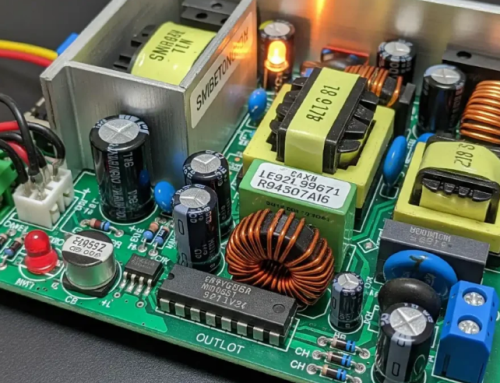
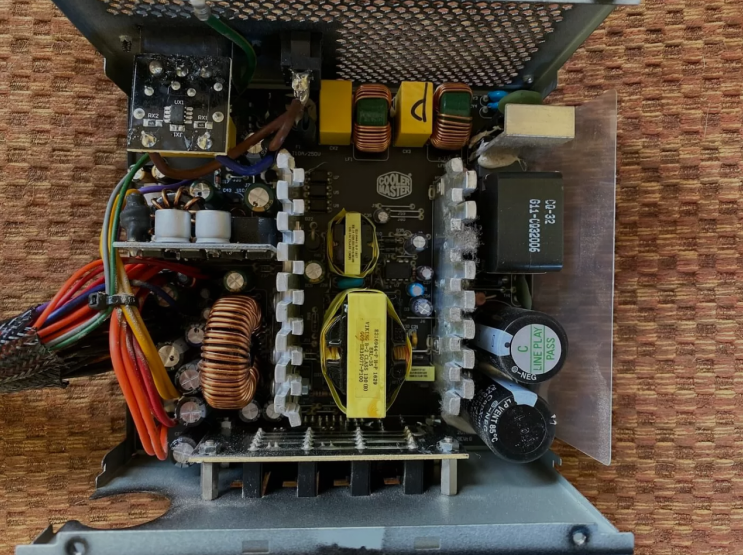
A burning smell comes from the computer case area. You notice discoloration or bulging on the power supply. Capacitors may leak or show physical damage inside.
These visible signs mean the unit suffers from severe heat. Stop using the computer until you replace the unit.
Reduced Performance and Instability
The computer runs slower than normal during daily tasks. Graphics performance drops and causes screen glitches. The system freezes or becomes unstable under load.
Overheating affects voltage stability for all components. This instability leads to data loss and crashes.
Error Messages and Warnings
The computer shows power related error messages on screen. BIOS reports temperature or voltage problems during boot. Hardware monitoring tools show high power supply temperatures.
These warnings appear more frequently as overheating increases. Pay attention to any alerts about power supply issues.
Real Examples of Power Supply Units
Different computers need specific power supplies that match their exact requirements. Common replacement options by system include:
- Certain HP Pavilion models work with a 300W ATX replacement unit
- Dell OptiPlex desktops often require the 240W unit for Dell OptiPlex 390 790 990
- Higher performance Dell G5 systems may need a 500W PSU for Dell G5 models
You can find matching units for many other computer brands and models easily.
Causes of Power Supply Overheating
Dust buildup blocks airflow through the power supply vents. Poor case ventilation traps heat around the unit. Overloading the power supply with too many components adds constant stress.
High room temperatures make cooling more difficult. Old units lose efficiency and generate more heat.
How to Prevent Overheating Problems
Clean dust from the power supply and case regularly. Ensure good airflow with proper fan placement inside. Avoid blocking vents around the computer case.
Use a power supply with higher efficiency ratings. Replace old units before they start showing heat signs.
Steps to Take When Overheating Occurs
Shut down the computer safely at the first sign. Clean dust from the power supply and vents carefully. Improve case airflow with additional fans if needed.
Replace the overheating unit with a new one. Test the system for stable temperatures after replacement.
Benefits of Addressing Overheating Early
Early action prevents damage to other computer components. It restores stable power and normal performance levels. Your computer runs cooler and quieter after fixes.
Timely replacement saves money on bigger repairs. This step extends the life of your entire system.
Choosing a New Power Supply
Calculate total power needs before you select any unit. Choose units with good efficiency for lower heat output. Match form factor and connectors to your computer case.
Buy from trusted sources that test power supplies. The right unit keeps temperatures low and stable.
Final Advice on Power Supply Overheating
Watch for signs of overheating in your power supply. Take quick action to avoid bigger system problems. Regular maintenance prevents many overheating issues.
A good power supply keeps your computer safe. Choose quality units for reliable long term performance.
If you need a reliable replacement power supply check the options at 365PowerSupply.com.