What Causes Power Supply Failure?
Power supply failure happens when internal parts stop working properly. Several common factors lead to this problem in computer systems. Understanding these causes helps you prevent sudden computer shutdowns.
Early knowledge allows timely replacement before bigger damage occurs. Many factors combine to shorten the life of power supply units.
Overheating as a Main Cause
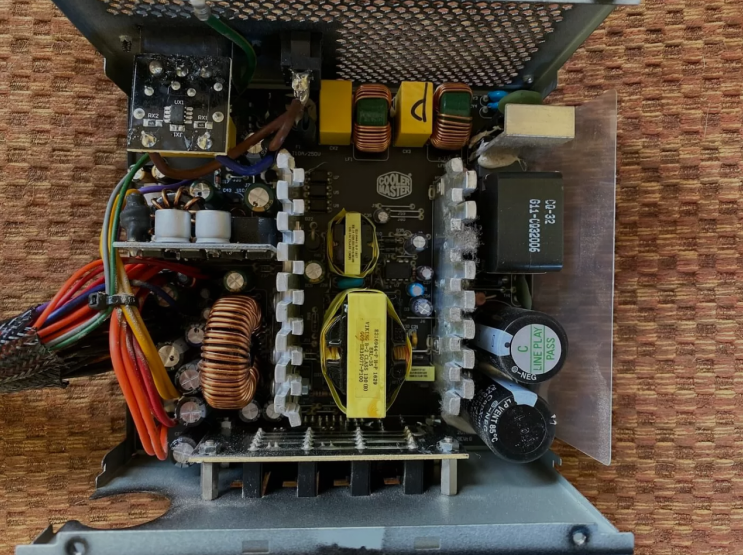
High temperatures damage components inside the power supply unit. Dust buildup blocks airflow and makes cooling fans less effective. The unit works harder and generates even more heat over time.
Prolonged overheating weakens capacitors and other sensitive parts. This problem often leads to complete failure of the power supply.
Age and Normal Wear
Power supplies last four to five years under normal daily use. Internal parts wear out gradually with constant operation. Capacitors dry out and lose capacity after many hours.
Fans develop bearing problems and create noise before failure. Old units cannot deliver stable power to modern components.
Power Surges and Voltage Spikes
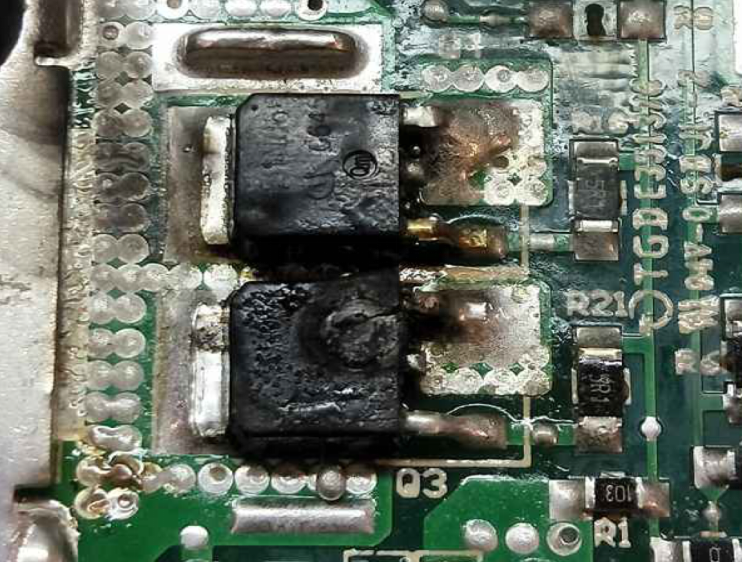
Sudden spikes from the wall outlet damage internal circuits. Lightning storms or faulty wiring often create these surges. Protection circuits may fail to stop strong voltage spikes.
Repeated surges weaken components and lead to eventual failure. Good surge protection helps reduce this common cause of problems.
Dust and Poor Ventilation
Dust collects on fans and heat sinks inside the power supply. Blocked vents reduce airflow and cause higher operating temperatures. Poor case ventilation makes the problem much worse over time.
Regular cleaning prevents dust from causing early power supply failure. This simple maintenance extends the life of the unit greatly.
Overloading the Power Supply
Connecting too many high power components exceeds the unit rating. Graphics cards and multiple drives increase total power demand. An overloaded unit works beyond its safe limits constantly.
This stress causes faster wear and sudden failure. Always match wattage to your system needs with extra margin.
Manufacturing Defects and Quality Issues
Some power supplies have poor quality components from the start. Cheap units often use lower grade capacitors and parts. Manufacturing errors can cause early failure in the first months.
Trusted brands with good testing reduce this risk significantly. Pay more for quality to avoid frequent replacement problems.
Real Examples of Power Supply Units
Different computers need specific power supplies that match their exact requirements. Common replacement options by system include:
- Certain HP Pavilion models work with a 300W ATX replacement unit
- Dell OptiPlex desktops often require the 240W unit for Dell OptiPlex 390 790 990
- Higher performance Dell G5 systems may need a 500W PSU for Dell G5 models
You can find matching units for many other computer brands and models easily.
Environmental Factors That Contribute
High room temperatures speed up wear on power supply components. Humidity can cause corrosion on internal connections over time. Frequent power fluctuations from the wall outlet add stress.
Placing the computer near heat sources worsens these problems. Good environment helps extend the life of power supplies.
How to Prevent Power Supply Failure
Keep the computer case clean with regular dust removal. Use a surge protector to guard against voltage spikes. Avoid overloading the power supply with too many parts.
Replace old units every four to five years for safety. Monitor temperatures and listen for unusual noises regularly.
What to Do When Failure Occurs
Shut down the computer safely at the first sign of trouble. Test the power supply with a tester tool or known good unit. Replace the failing unit with a new one of proper wattage.
Install carefully and test the system for stable operation. This quick action prevents damage to other computer parts.
Benefits of Proper Maintenance
Regular care extends the useful life of your power supply. It keeps your computer running stable and reliable always. Prevention saves money on repairs and new component costs.
A good power supply supports smooth performance every day. These steps protect your entire computer investment.
If you need a reliable replacement power supply check the options at 365PowerSupply.com.