What Happens if a Power Supply Is Underpowered?
An underpowered power supply cannot supply enough electricity to all computer parts. It fails to support the full demands of components during daily operation. This shortage creates many problems and instability inside the system.
Your computer may turn off suddenly without any clear reason. Underpowered conditions often cause lasting damage to expensive parts.
Immediate Effects on Daily Operation
The computer slows down when you run several programs at once. It shows random crashes even during simple web browsing tasks. Graphics performance drops and causes screen glitches in videos.
The system restarts by itself during normal work or games. These issues happen more frequently with an underpowered unit.
Damage to Important Computer Parts
The processor receives unstable power and cannot run at full speed. This leads to overheating and reduced performance over time. Graphics cards suffer the most because they need high power.
They may show visual errors or stop working completely. Memory modules and storage drives also face early failure risks.
Voltage Drops and System Instability
Voltage levels fall when the power supply reaches its limit. Unstable voltage damages circuits on the motherboard quickly. The computer may fail to boot after repeated power shortages.
This problem results in lost files and corrupted data often. Constant stress from underpowered supply shortens component life.
Overheating Problems in the Unit
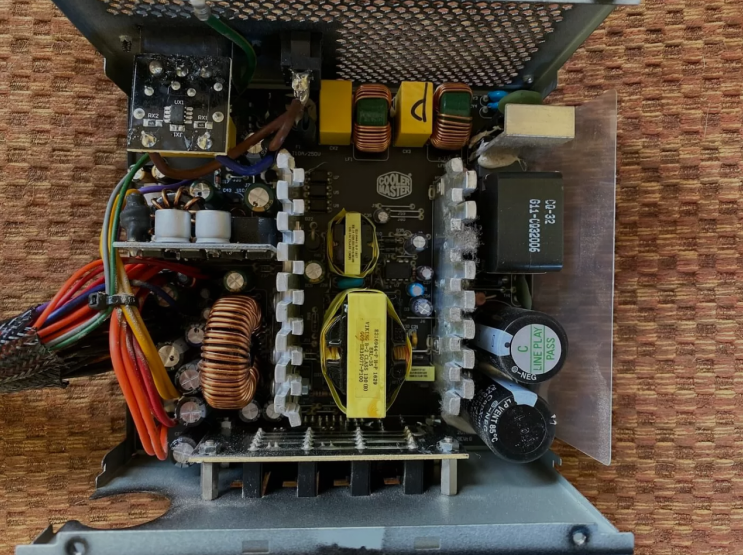
The power supply works extra hard and produces too much heat. Its internal fan runs loudly but cannot cool everything enough. Dust inside the unit makes overheating worse after some months.
High temperatures reduce the total lifespan of the power supply. Other parts in the computer also get affected by extra heat.
Clear Warning Signs to Watch
You hear odd noises from the fan area at the back. The system turns off suddenly during heavy tasks like editing. Motherboard lights flicker or become dim without reason.
Error messages about power appear on your screen often. These signs indicate the wattage stays too low for safety.
Long Term Effects on Your Computer
Underpowered power supplies cause gradual failure of key components. Repair costs rise high after the motherboard or graphics card breaks. Overall system performance decreases month after month.
Users experience frequent downtime and frustration with their PC. Early replacement prevents bigger and more expensive problems.
Real Examples of Power Supply Units
Different computers need specific power supplies that match their exact wattage requirements. Common replacement options by system include:
- Certain HP Pavilion models work with a 300W ATX replacement unit
- Dell OptiPlex desktops often require the 240W unit for Dell OptiPlex 390 790 990
- Higher performance Dell G5 systems may need the 500W PSU for Dell G5 models
You can find matching units for many other computer brands and models easily.
How to Prevent Underpowered Issues
Calculate total power needs of every component before purchase. Add extra margin of one hundred to two hundred watts always. Choose a power supply with higher wattage for your setup.
Check the label on your current unit for its rating. Replace the old unit before serious damage occurs.
Steps to Take When Problems Start
Shut down the computer right away at the first sign. Test the system with a higher wattage power supply. Inspect all cable connections after new unit installation.
Monitor temperatures and performance during normal use. Get expert help if other parts show signs of damage.
Benefits of Using Proper Wattage
The right wattage keeps voltage steady for every part. It supports smooth performance in games and work tasks. Proper wattage allows safe upgrades in the future.
Your computer runs cooler and lasts much longer. This choice saves money on repairs and power bills.
Smart Advice for Power Supply Choice
Always match wattage to your exact component requirements. Avoid low wattage units to protect your full system. Buy from trusted sellers who test units before shipping.
The correct power supply keeps your computer safe. Choose wisely for the best results over many years.
If you need a reliable replacement power supply check the options at 365PowerSupply.com.